Clinical Charting That Works the Way You Do

Customizable SOAP templates for any cash-pay specialty. Vitals, meds, allergies, labs, and signed-note immutability in one timeline view. Pre-built templates for hormone therapy, peptides, GLP-1, aesthetics, and more.

moonshotclinic.com
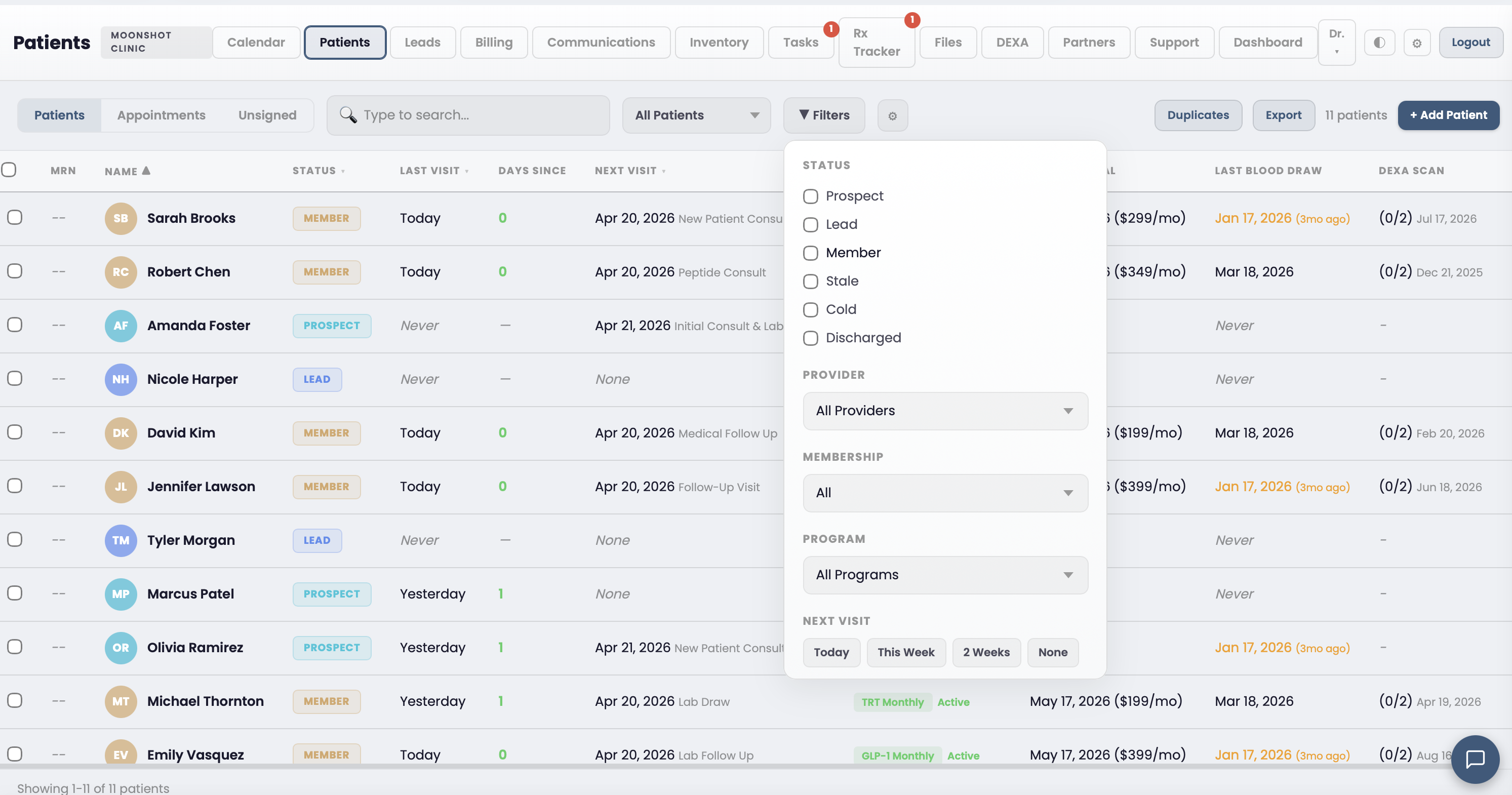
Patient chart timeline view showing encounter history, vitals, medications, and lab results

SOAP Templates and Dot Phrases for Any Specialty

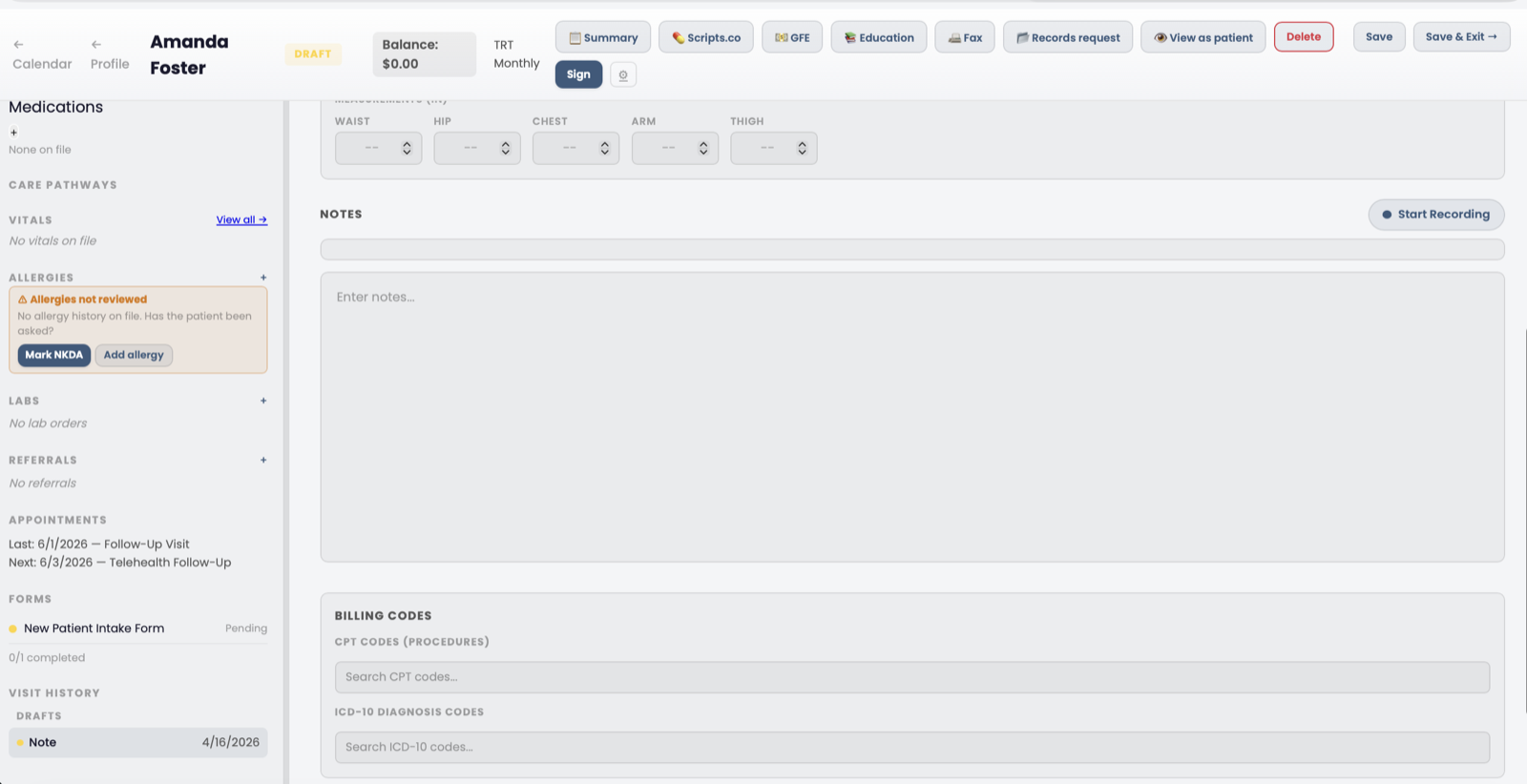
Start every encounter with a template built for your protocol. TRT follow-ups, peptide titrations, GLP-1 check-ins, HRT consults, aesthetics, and regenerative medicine ship pre-built. Create custom templates for any workflow. Dot phrases let you insert common text blocks in seconds.

  • Pre-built templates for TRT, peptide therapy, GLP-1, and HRT protocols
  • Custom templates with drag-and-drop section ordering
  • Dot phrases for injection site rotation, dosing adjustments, and lab reviews
  • Pull intake form responses directly into the encounter note
Chart note with SOAP template sections for hormone protocol documentation

Vitals, Medications, and Allergies in One View

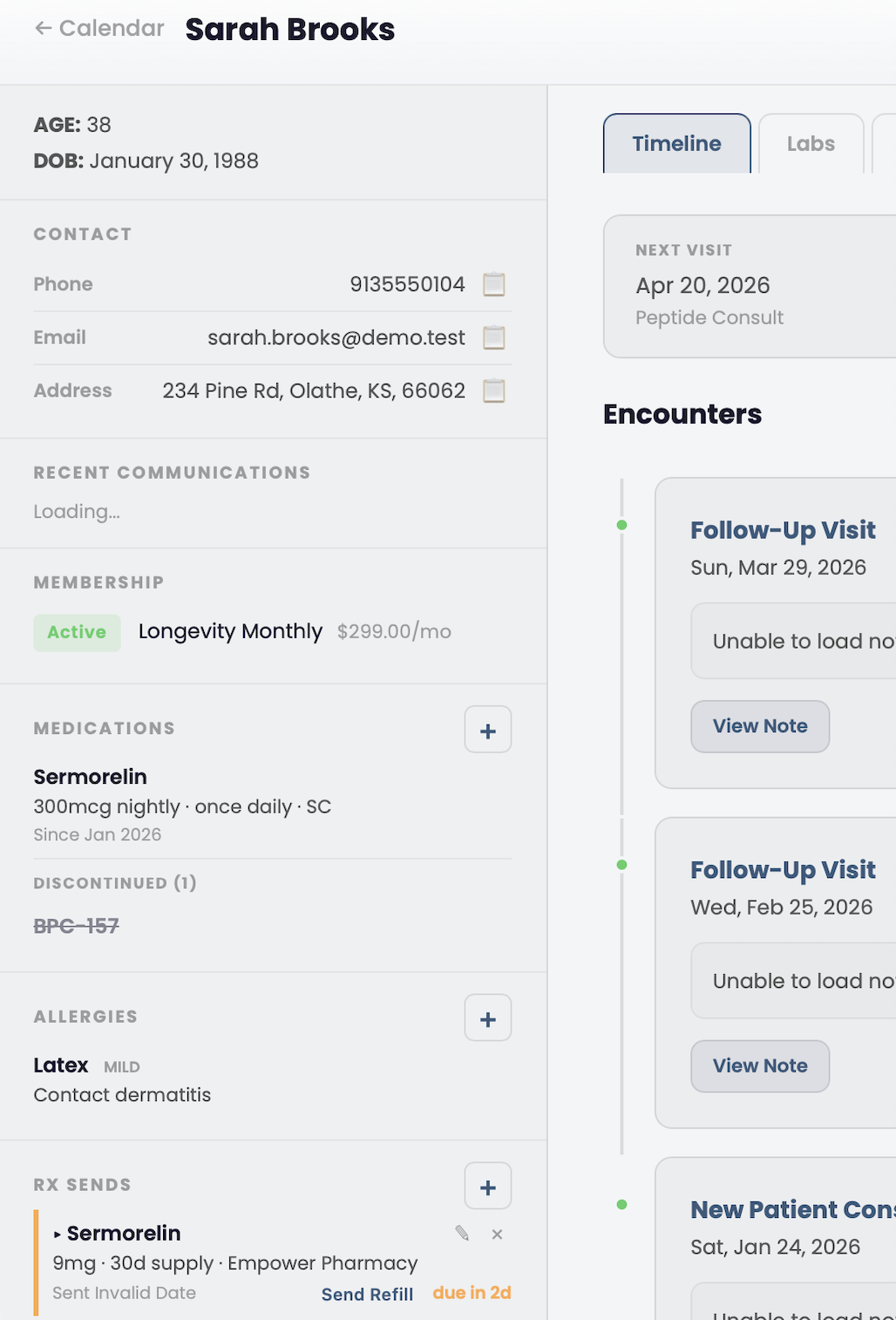
Every data point about a patient lives in their chart timeline. Blood pressure, weight, BMI, O2 sat, and heart rate trend over time. Active medications show prescriber, dosage, and frequency. Allergies display severity and reaction type.

  • Vitals tracking with BP, HR, temp, weight, BMI, and O2 saturation
  • Active medication list with prescriber, dosage, and status tracking
  • Allergy list with severity levels and reaction documentation
  • Problem list for diagnoses and ongoing conditions
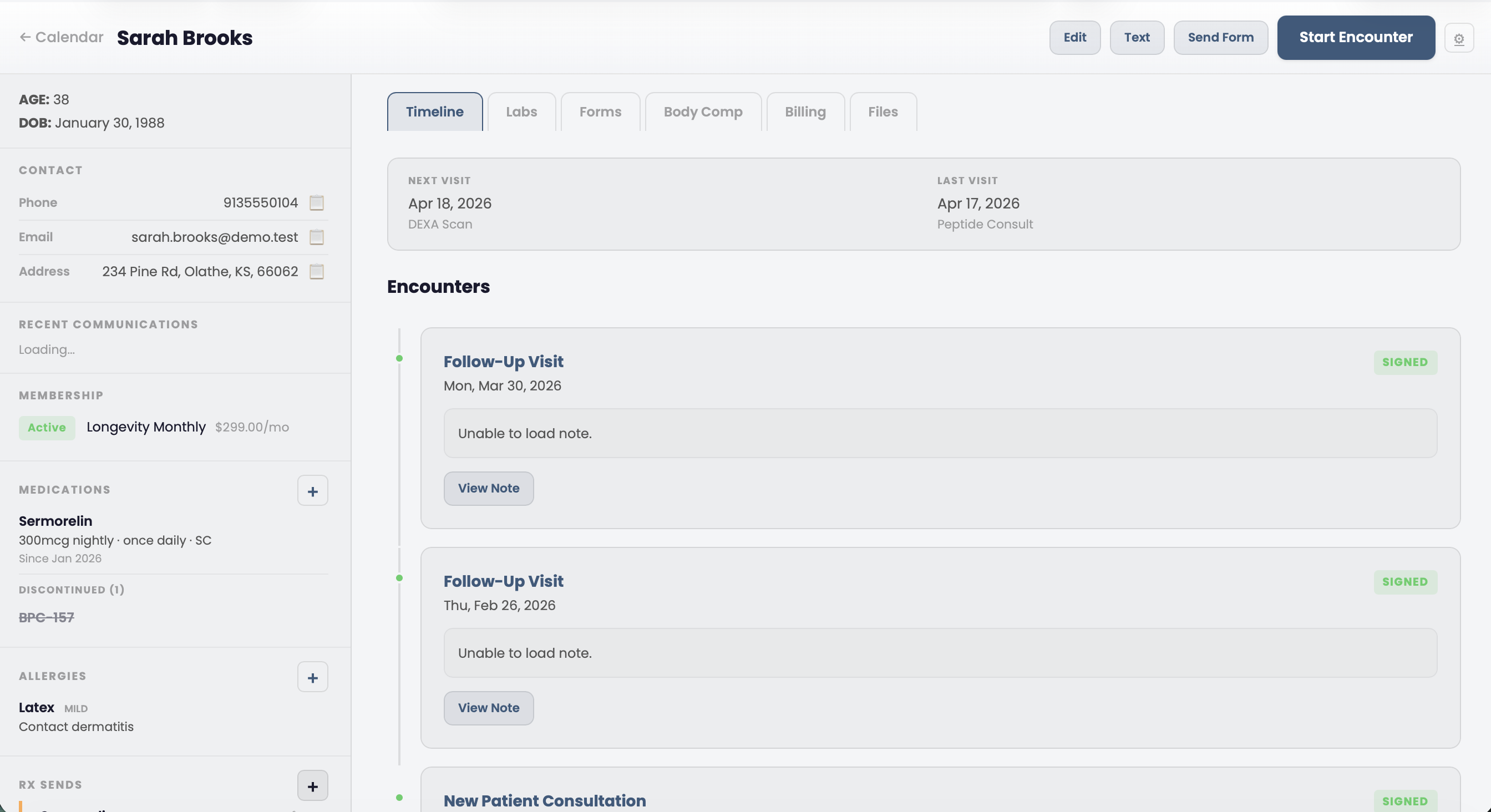
Patient chart sidebar showing demographics, membership status, active and discontinued medications, allergies, and RX send history alongside the encounter timeline

Lab Orders, AI-Powered Result Parsing, and PDF Reports

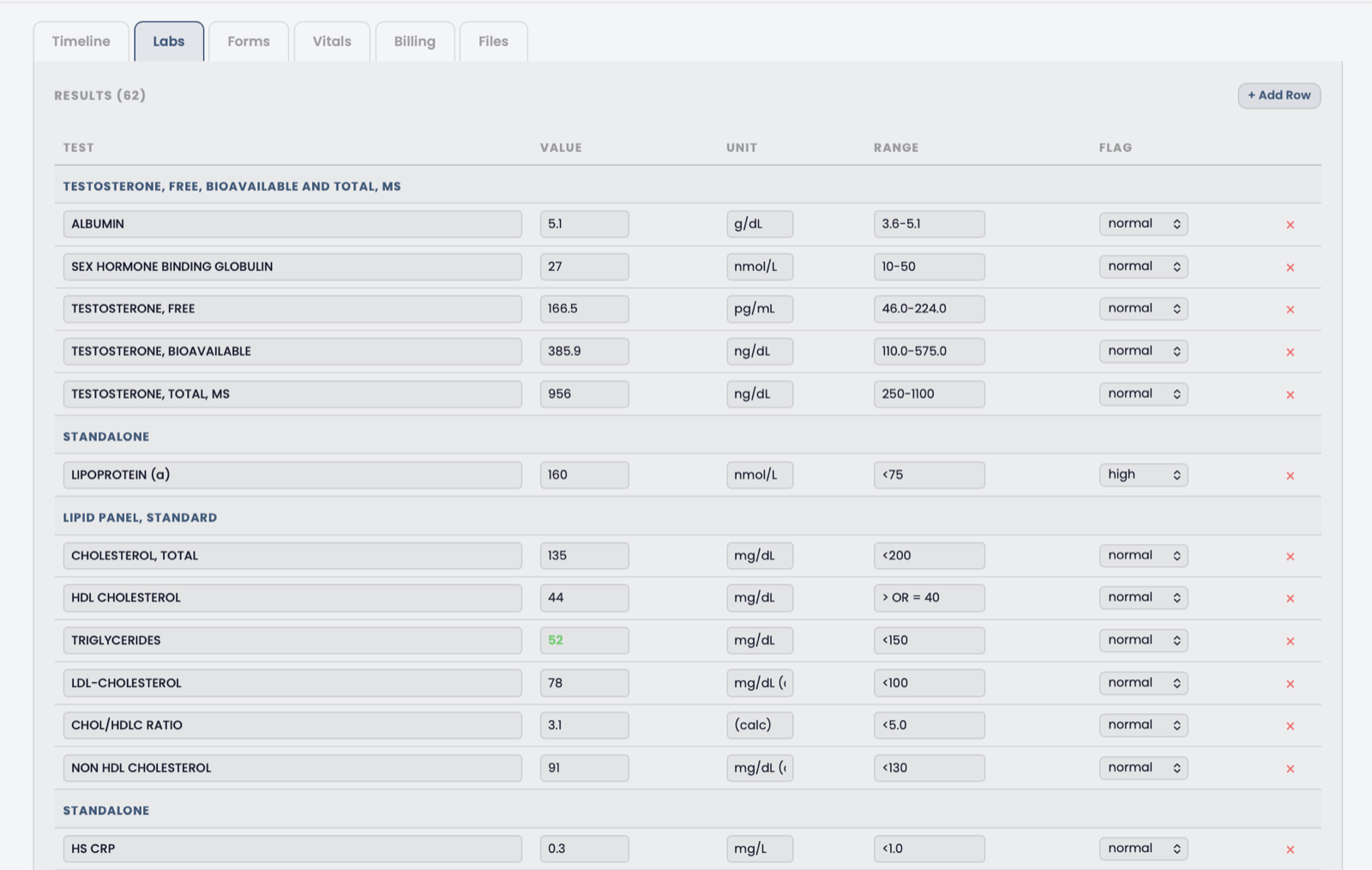
Order labs from within the chart. When results come back, upload the PDF and the AI extracts every biomarker into structured data with reference ranges and flags. Generate branded lab reports your patients can access through their portal.

  • Lab order management with status tracking (ordered, collected, resulted)
  • AI-powered lab result parsing from uploaded PDFs
  • Branded PDF lab reports with biomarker trends over time
  • Provider approval queue before results release to patient portal
  • DEXA body composition scan integration with trend tracking
Lab order management with AI-parsed results and biomarker tracking

Signed Notes Are Locked at the Database Level

When a provider signs a chart note, a PostgreSQL trigger prevents any modification to the signed content. This is not a UI toggle that someone can bypass. The immutability is enforced in the database itself. Corrections go through a formal addendum workflow that preserves the original record.

  • Database-level immutability trigger on signed encounter notes
  • Addendum workflow links corrections to the original signed note
  • Full audit trail with signer, timestamp, and IP address
  • Draft, signed, and amended status workflow
Signed chart note with immutability badge and addendum option

Charting FAQ

Common questions about clinical charting in Moonshot Clinic.

Does Moonshot Clinic have specialty chart templates?
Yes. Moonshot ships with specialty SOAP templates for TRT, peptide therapy, GLP-1 weight loss, HRT, aesthetics, and regenerative medicine protocols. Each template includes pre-built sections for dosing, injection site rotation, lab review, and follow-up planning. You can also create custom templates and dot phrases for any workflow your clinic runs.
Are chart notes locked after signing?
Yes. Once a provider signs a chart note, a database-level trigger prevents any modification to the signed content. This is enforced at the PostgreSQL layer, not the application layer. If a correction is needed, the provider creates an addendum that links to the original note while preserving the signed record intact.
Can I pull patient intake form data into chart notes?
Yes. When a patient completes an intake form before their appointment, you can pull their responses directly into the encounter note with one click. Medical history, current medications, symptom questionnaires, and consent forms all flow into the chart without manual re-entry.

See Charting in Action

Book a demo and we will walk you through charting, templates, and lab workflows for your specialty.

Get Started